
VidEffect-AI Effects Maker
VidEffectTools
0.00.00 Reviews
- Version
- 1.0.2
- Installs
- 50.00K
- Age Rating
- Everyone
Screenshots
Our Review of VidEffect-AI Effects Maker
 Analysis by Appyee
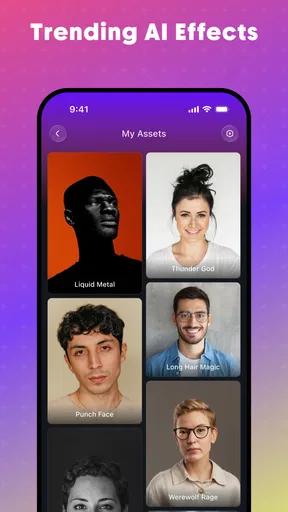
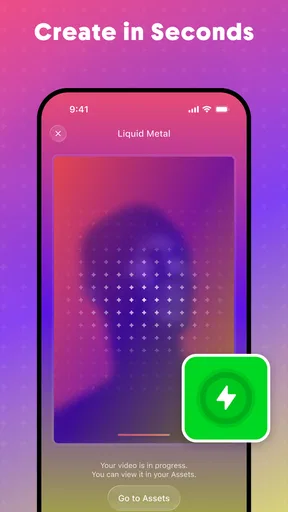
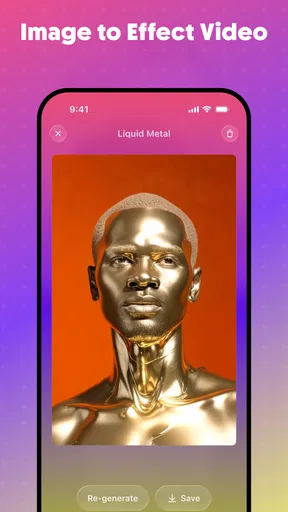
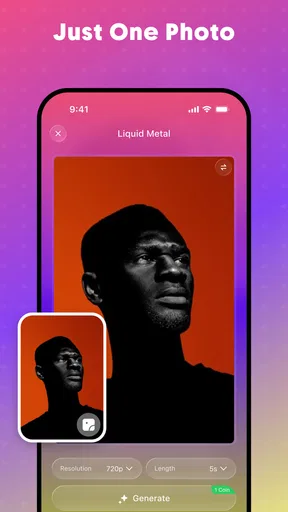
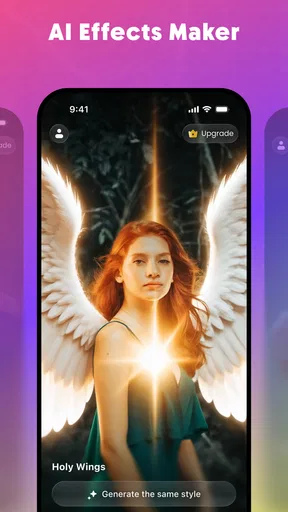
I approached VidEffect-AI Effects Maker as a practical tools app rather than as a full video editor. Its main idea is simple: use a photo as the starting point, then apply an AI-driven effect template to turn that still image into a short video. That makes it interesting for anyone who wants animated social content without learning a timeline editor, keyframes, masking, or motion design from scratch.
My first impression is that VidEffect is aimed at speed. You choose an image, select an effect style, and let the template do most of the creative work. The appeal is obvious when I have a portrait, pet photo, travel picture, or product image that feels static but could become more engaging with movement. Instead of building an animation manually, I can begin with a finished photo and experiment with a visual treatment.
The app is developed by VidEffect and is listed as a free tools app for everyone. It requires Android 7.0 or later, so it is accessible on many older devices as well as newer phones. The current version is 1.0.2, and the app has passed the fifty-thousand-install mark. Those details suggest a relatively focused product rather than a large, established editing suite, so I would approach it as a specialized creative utility and judge it on that basis.
What using VidEffect feels like in everyday work
The most useful way to understand this app is to imagine a normal situation. Suppose I take a family photo during a weekend trip and want to share it as a story post. A normal image may be perfectly clear but easy to skip. With VidEffect, I can try an animated template, preview the result, and turn that photo into something with more visual movement. The process is better suited to quick sharing than to producing a carefully edited film.
I also see a use for small businesses and independent sellers. A clean product photo can be given a little motion for a social post, a daily offer, or a short announcement. The important word is “little.” A template can make an image more noticeable, but it does not replace proper product photography, copywriting, or a complete marketing workflow. I would use the app to create a visual accent, not to build an entire campaign.
For personal content, portraits are probably the most natural starting point. A single face gives an effect template a clear subject to work with, while a busy group image may produce a less convincing result. I found that choosing a photo with a distinct main object is a sensible first step. It gives the template less visual confusion and makes it easier to decide whether the animation actually improves the image.
Another practical use is repurposing old photos. I often have pictures that are meaningful but no longer feel fresh enough to post. Turning one into a short effect-based video can give it a different role without changing the original image. This is especially useful for memory posts, birthday greetings, travel recaps, or a quick before-and-after presentation.
Where VidEffect differs from a usual mobile editor is the starting point. Traditional editors expect me to assemble a project from clips, arrange a sequence, trim sections, add transitions, and adjust timing. VidEffect is more direct: the photo is the project, and the template supplies the movement. That is convenient for beginners, but it also means I have less control over the exact animation.
Choosing the right source photo matters more than expected
The first non-obvious lesson is that the template cannot rescue every image. A photo with a clear subject, good contrast, and enough space around the main object gives me more useful experiments. A tightly cropped face, a cluttered room, or a dark picture may still work, but the result can feel less natural. I recommend preparing several versions of the same idea instead of repeatedly forcing one unsuitable image through every effect.
For portraits, I would begin with a sharp image where the face is not hidden by sunglasses, hands, or heavy shadows. For objects, I would try a photo with a simple background. For landscapes, I would choose a composition with visible depth, such as a foreground subject and a recognizable background. This is not a complicated technical requirement; it is simply a way to give the effect a better visual starting point.
A second useful workflow is to keep the original image untouched and treat every generated result as a separate experiment. I would not overwrite the source or rely on a single output. AI effects are creative rather than perfectly predictable, so comparing a few versions helps me identify the one that looks intentional instead of merely unusual.
I also prefer testing an effect with a low-stakes image first. If I am preparing something for a public post, I can use a spare photo to understand the style before committing a favorite picture. That small habit saves time and makes the process less frustrating when an effect does not match the subject.
Templates are convenient, but convenience has a creative cost
The strongest part of VidEffect is the reduction in effort. I do not need to understand animation principles before trying an effect. A template gives me a recognizable visual direction, which is helpful when I know I want “something lively” but do not have a clear editing plan.
The trade-off is originality. Template-based results can share a familiar look, especially when many people use the same type of effect. If I need a very specific brand identity, precise timing, custom typography, or a carefully controlled camera movement, a conventional editor is the better choice. VidEffect is strongest when speed and experimentation matter more than detailed authorship.
This makes the app a good companion to other tools rather than a universal replacement. I might create the animated base in VidEffect, then use a separate editor for captions, music, cropping, or a final sequence. That two-step workflow is more realistic than expecting one photo-effects app to handle every stage of a polished video.
Trust begins with visible choices, not assumptions
Because the app works with personal photos, I pay attention to the moments when I am asked to choose an image and start a generation. A photo can contain more than the subject I intend to animate: faces in the background, a home interior, a location clue, a school uniform, or a document accidentally left in view. I would review the image before selecting it, especially when the final video is intended for public sharing.
My practical rule is to use copies of sensitive images and crop away unnecessary background details. If a picture contains another person, I would consider whether that person should be included at all. If it shows a private room, address label, ticket, or screen, I would remove or cover that detail before importing the image. This is useful regardless of the editing app, but it matters more when the purpose is to transform and share the result quickly.
I also prefer making one deliberate selection at a time instead of granting broad access casually. The most trustworthy workflow is the one where I understand which image I am choosing and why. If the operating system presents a photo picker or permission choice, I would select only what the current project needs rather than treating the app as if it should automatically see my entire library.
That approach keeps control in my hands. It also makes troubleshooting easier. If a result looks wrong, I know which source image and which template produced it. A small project-by-project habit is more useful than importing a large collection and trying to remember what was used later.
Privacy-sensitive moments deserve a pause
AI image and video tools naturally create a moment of uncertainty: the photo leaves the simple world of a static gallery item and becomes input for an automated effect. I would therefore avoid using confidential documents, private identification images, unreleased business material, or photographs of children unless I am comfortable with the complete sharing context. The app may be convenient, but convenience should not override the sensitivity of the source material.
I would also think about the destination before generating anything. A private draft and a public social post have very different consequences. If the video is going to a public account, I would inspect the entire frame for background faces and identifying details. If I am sending it to one friend, I still would not assume that the image is harmless simply because the audience is small.
Another careful habit is to review the result rather than sharing it immediately. Automated effects can emphasize parts of an image that I did not intend to highlight. A face may become the visual focus, a background object may draw attention, or an unusual motion may make a normal photo look awkward. Watching the complete output once before publishing is a simple quality and privacy check.
I would also keep expectations realistic about account control and data choices. The app is free to install, but the presence of optional in-app purchases means I would read each purchase screen carefully and make sure I understand what I am selecting before confirming anything. Individual items range from twelve dollars and ninety-nine cents to three hundred nine dollars and ninety-nine cents, so a casual tap deserves particular attention. I would use the platform’s purchase confirmation settings and avoid treating a free download as a promise that every creative option is free.
Where the free model helps and where it may slow me down
Being free makes VidEffect easy to try. I can test the basic concept without committing money first, which is valuable because template-based effects are highly personal. One person may enjoy dramatic transformations, while another may prefer subtle movement. Trying the workflow on a few ordinary photos is the right way to decide whether it belongs in my regular toolkit.
At the same time, the in-app purchase range changes how I evaluate the app. I would not begin a project assuming that every template or output option is included. Before investing time in a particular creative direction, I would check which choices are available in the current workflow and which lead to a purchase screen. That prevents a disappointing surprise at the end of an otherwise successful experiment.
The upper end of the purchase range is significant for a casual tools app. I would be especially cautious if the app is being used on a shared family device or by a younger user, even though the content rating is Everyone. Device-level purchase authentication is worth enabling, and I would avoid handing the phone to someone else while a purchase screen is open.
This does not make the app unsuitable, but it does make the business model part of the decision. For occasional personal use, the free entry point may be enough. For frequent professional production, I would compare the total cost of repeated effects with a conventional editor that offers predictable pricing and more control. The right choice depends on whether the templates save enough time to justify the spending.
Who should use it, and who should choose another editor?
I would recommend VidEffect to someone who has photos ready and wants quick, visually active results without learning a complicated interface. It is particularly suitable for casual social posts, personal greetings, simple promotional experiments, and users who enjoy trying different visual styles. The app’s focused purpose is easier to approach than a full editing suite.
I would also consider it for a creator who needs a fast idea generator. A template can help break a creative block. Even if I later rebuild the final result elsewhere, seeing a photo transformed can suggest a direction for a more controlled edit. In that role, VidEffect is less a complete production studio and more a shortcut to a visual draft.
I would skip it when the project depends on exact timing, multiple video clips, detailed audio editing, subtitles, brand-safe layouts, or frame-by-frame adjustments. A standard mobile video editor is better when I need to decide precisely how every element moves. A design app is better when typography and layout are the main focus. A dedicated slideshow maker is better when the goal is a structured sequence of many photos rather than one effect applied to one image.
I would also hesitate to use it as the only tool for sensitive professional material. Even when I am careful, a specialized photo-effects workflow is not the same as a controlled production environment. For confidential client work, I would first examine the app’s visible permission prompts, account options, and privacy choices on my own device, then decide whether the workflow fits the project’s requirements.
Small habits that improve the results
My first tip is to create a small selection of source images before opening the effect browser. I would choose one portrait, one object photo, and one wider scene if I am exploring the app for the first time. This gives me a quick sense of which subjects respond well without wasting time searching through the entire gallery between attempts.
My second tip is to judge the result at the size where it will actually be viewed. A video that looks impressive full-screen may feel too busy in a small story preview. Conversely, a subtle effect may be enough for a phone screen even if it seems understated during editing. I would check the output in the intended social or messaging context before deciding that an effect is successful.
My third tip is to separate creative testing from publishing. I would generate a few candidates, compare them later, and only then add a caption or send the final version. This reduces impulsive sharing and makes it easier to reject an effect that is technically interesting but visually distracting.
My fourth tip is to keep a clean naming habit outside the app when saving results. A simple label that identifies the source photo and chosen style helps me find the version I liked. This becomes useful when several outputs look similar or when I want to recreate a post with a different image.
Finally, I would treat unusual results as information rather than failure. If a template consistently looks awkward with a particular kind of photo, I would change the source composition instead of repeatedly selecting the same effect. The app works best when I adapt the image to the template’s strengths rather than expecting every template to understand every subject equally well.
My cautious verdict after weighing the workflow
VidEffect is appealing because it removes much of the technical work between a still photo and a shareable animated result. In my experience, that makes it approachable for casual creators and useful when I need a quick visual idea. Its focus is clear, and that focus is more valuable than a long list of editing controls when the goal is simply to give one image some movement.
Its limitations are just as clear. Template convenience can reduce creative control, automated effects may not suit every photo, and the purchase range means I would inspect each paid option carefully. I would also treat every selected image as potentially sensitive, review the visible permission and account choices, and inspect the final video before sharing it.
The app is free, rated for Everyone, and compatible with Android 7.0 and newer devices, which lowers the barrier to trying it. Still, I would not confuse easy access with a complete editing solution. For a quick portrait animation, a playful memory post, or a fast product visual, I think it is worth testing. For precise professional work, private material, or projects that need a full timeline, I would choose a more controlled alternative.
My recommendation is therefore cautious but positive: try VidEffect with ordinary, non-sensitive photos, learn which templates suit your images, and keep a close eye on purchase prompts. The best reason to use it is speed with a clear creative purpose, not the promise of replacing every other video tool. If that matches what you need, it can earn a useful place in a small mobile content workflow.
Verdict
Strengths of VidEffect-AI Effects Maker
- AI effects create eye-catching edits with minimal manual effort.
- Wide variety of filters, transitions, and visual styles to explore.
- Useful templates help beginners produce polished videos quickly.
- Simple controls make basic editing accessible on mobile devices.
- Suitable for short-form content shared on social media platforms.
Limitations of VidEffect-AI Effects Maker
- Some advanced effects may require a subscription or in-app purchase.
- AI processing can take time, especially with longer or high-resolution clips.
- Results may vary depending on lighting, footage quality, and subject movement.
- Export options may be limited by resolution, format, or watermark restrictions.
- Frequent effect-heavy edits can consume considerable storage and battery.
Similar Picks in This Category
View All
Google LLC4.0

Gboard - the Google Keyboard
Google LLC4.5

Google Play services
Google LLC4.3

Google Play Store
Google LLC4.9

Files by Google
Google LLC4.5

SHAREit: Transfer, Share Files
Smart Media4U Technology Pte.Ltd.4.3
Frequently Asked Questions
What is VidEffect-AI Effects Maker used for?
VidEffect-AI Effects Maker is a mobile video-editing app designed to enhance clips with AI-powered effects, visual filters, transitions, and creative transformations. It is aimed at users who want to produce short-form content for platforms such as TikTok, Instagram, and YouTube without needing advanced editing experience. The available tools may vary depending on the app version and device.
Is VidEffect-AI Effects Maker free to download and use?
The app may be available to download at no initial cost, but some effects, templates, export options, or advanced AI features can require in-app purchases or a subscription. Before starting a trial, check the pricing screen carefully, including renewal terms and cancellation instructions. Free features may also include limitations such as advertisements, watermarks, or restricted video quality.
Does VidEffect-AI Effects Maker require an internet connection?
An internet connection may be necessary for downloading effects, accessing templates, processing AI-based transformations, displaying advertisements, or synchronizing content with online services. Basic editing of previously downloaded material might work offline, but this depends on the specific feature and app version. For the smoothest experience, use a stable Wi-Fi or mobile data connection when applying AI effects or exporting larger videos.
Can I export videos without a watermark?
Watermark-free exporting may depend on the selected effect, account type, subscription, or current app policy. Some free editing tools may place branding on the final video, while premium plans can unlock cleaner exports and higher resolutions. It is best to preview the export settings before editing a complete project, since removing a watermark later may require upgrading or recreating the video.
Is VidEffect-AI Effects Maker safe for personal photos and videos?
As with any AI editing application, users should review the privacy policy and permissions before importing personal media. AI processing may take place on the device or through remote servers, depending on the feature. Avoid uploading sensitive documents, private recordings, or content involving other people without permission. Also check whether projects are stored temporarily, retained online, or automatically deleted after processing.
